Tracing every room by hand takes a while on a full floor plan, so let AI do it: it reads your uploaded plan and gives you named rooms, with their doors and windows, ready to check, fix and see in 3D. You need Pro and a floor plan image, and a scan costs 1 credit. Prefer to do it yourself? Tracing the rooms by hand is free.
- 1
Upload your plan
Open use.layoutr.app and click Upload plan. The AI looks for the walls, so the clearer they are on your plan, the better. A listing picture or a scan works best; a phone photo of a paper plan should be taken from straight above.
- 2
Let AI find the rooms
Right after the upload, a note above the toolbar offers to "Let AI find the rooms in this plan", at 1 credit. Click it and the scan starts at once. Missed it? Find rooms stays in the toolbar while the floor has no rooms, and is always under Tools.
- What gets sent is the image of your plan, to Microsoft Azure OpenAI (EU region). Layoutr does not store it and it is not used to train AI models; the privacy policy has the details.
- Press Cancel while the scan runs and you get the credit back.
- On the free plan, the button opens the upgrade instead, and nothing is sent.
use.layoutr.app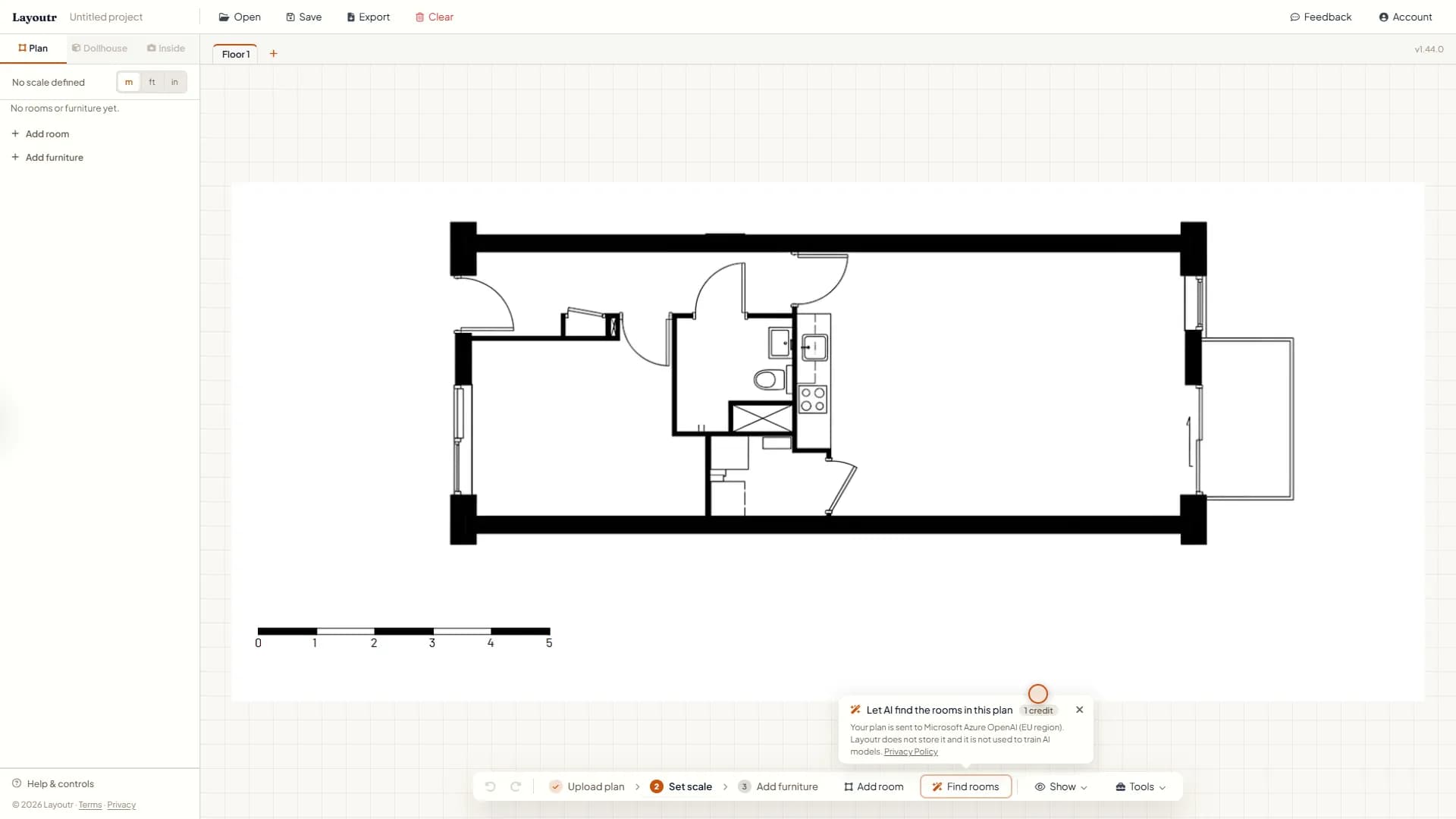
Right after an upload: Find rooms, at 1 credit a scan. - 3
Check the rooms, then keep them
A scan takes about half a minute. Then the rooms it found show in blue over your plan, with their doors and windows on the walls, and the bar below says how many it found. It is a starting point, so compare it with your plan. Press Keep rooms to add them, each with its name, or Discard to leave your plan as it was.
use.layoutr.app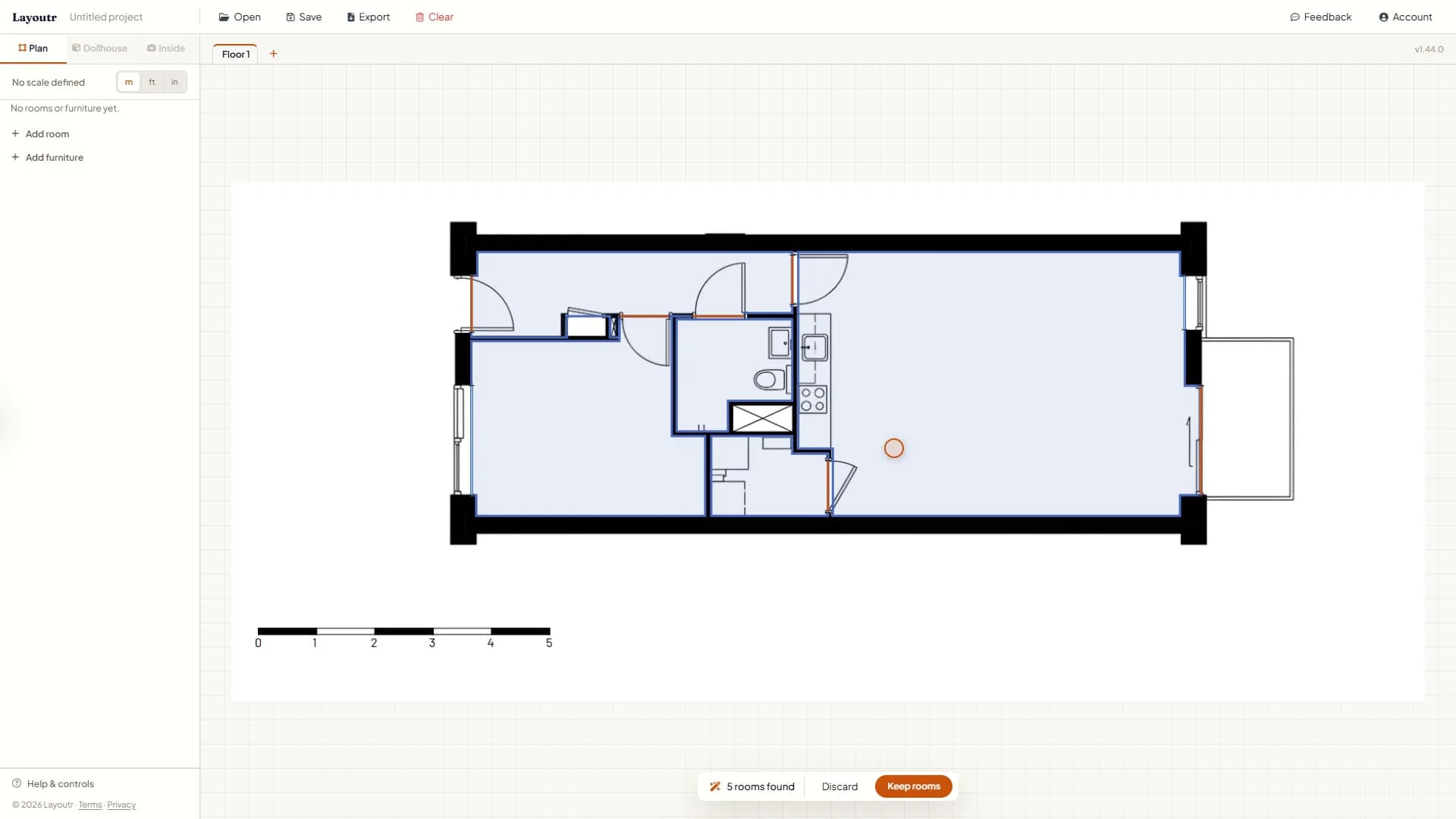
Example: 5 rooms found, ready to keep or discard. - 4
Set the scale
The AI finds the rooms, but not how big they are. So set the scale as you would without AI: click Set scale, click both ends of a length you know, such as the scale bar, and type its real length. Every room then shows its real area, on the plan and in the sidebar. Will your furniture fit? covers the scale in full.
use.layoutr.app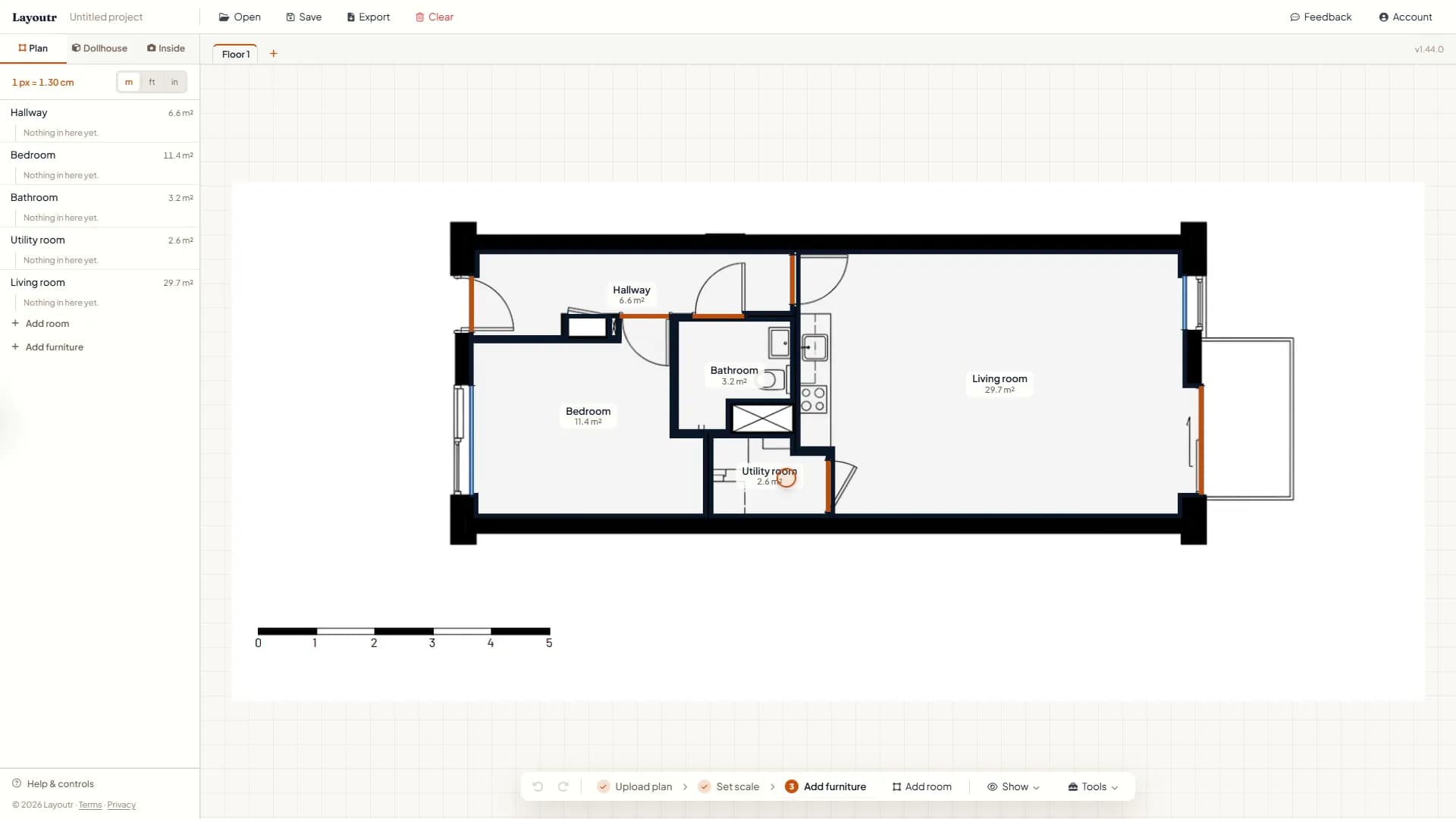
Example: set on the 5 m (16 ft 5 in) scale bar, the living room comes out at 29.7 m² (320 sq ft). - 5
Fix what's off
Found rooms are normal rooms, so you fix them like one you drew yourself.
- Drag a corner to move it, or double-click a wall to add one.
- Double-click inside a room to rename it.
- Every door comes back as a regular door. To change one, select its room, click the door and pick Sliding door or Passage.
use.layoutr.app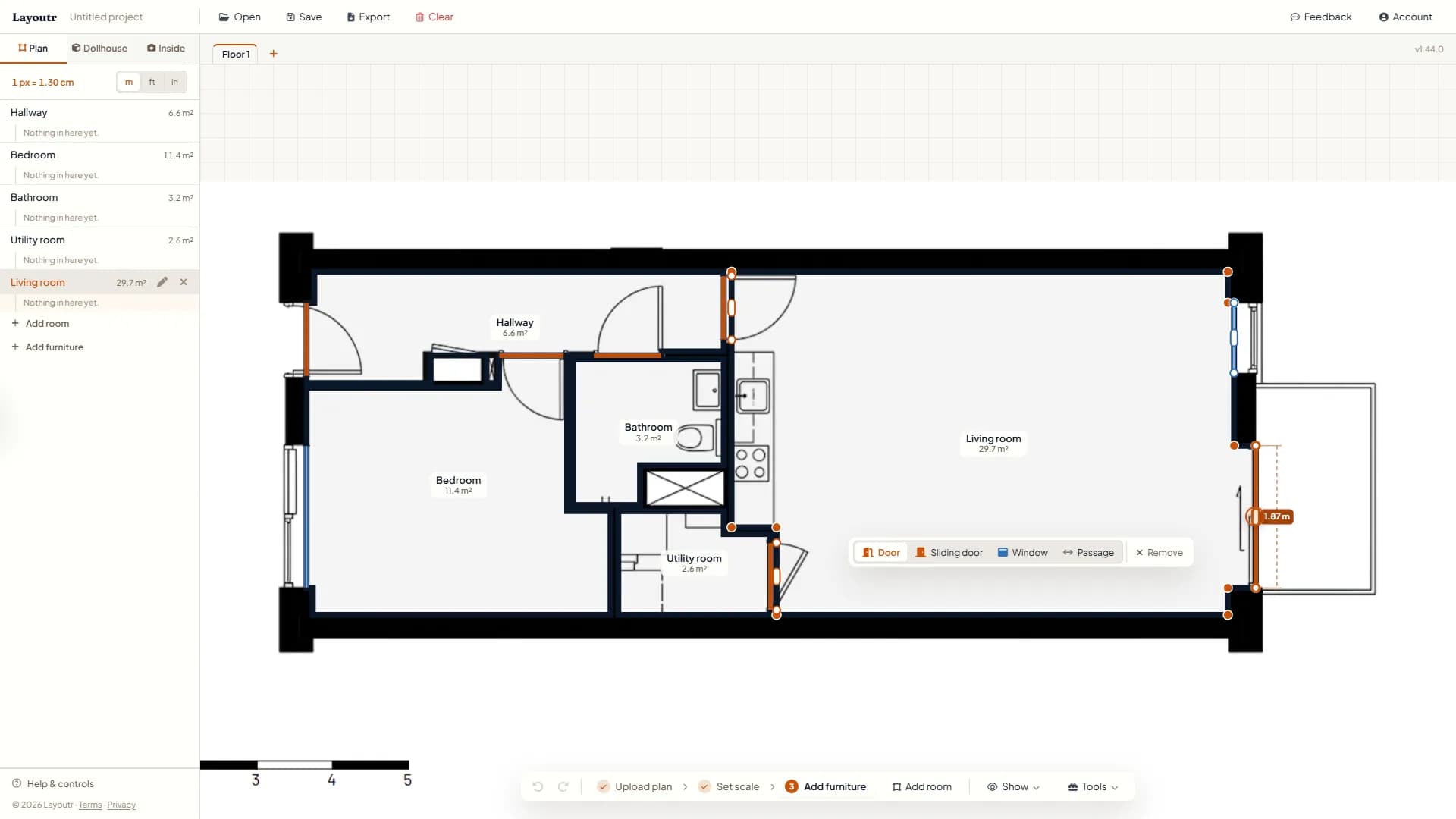
Example: the 1.87 m (6 ft 2 in) balcony door, about to become a sliding door. - 6
See it in 3D
The 3D view is built from your rooms, so with these in place, Dollhouse shows the whole home and Inside lets you walk through it. See it in 3D and walk inside covers both.
use.layoutr.app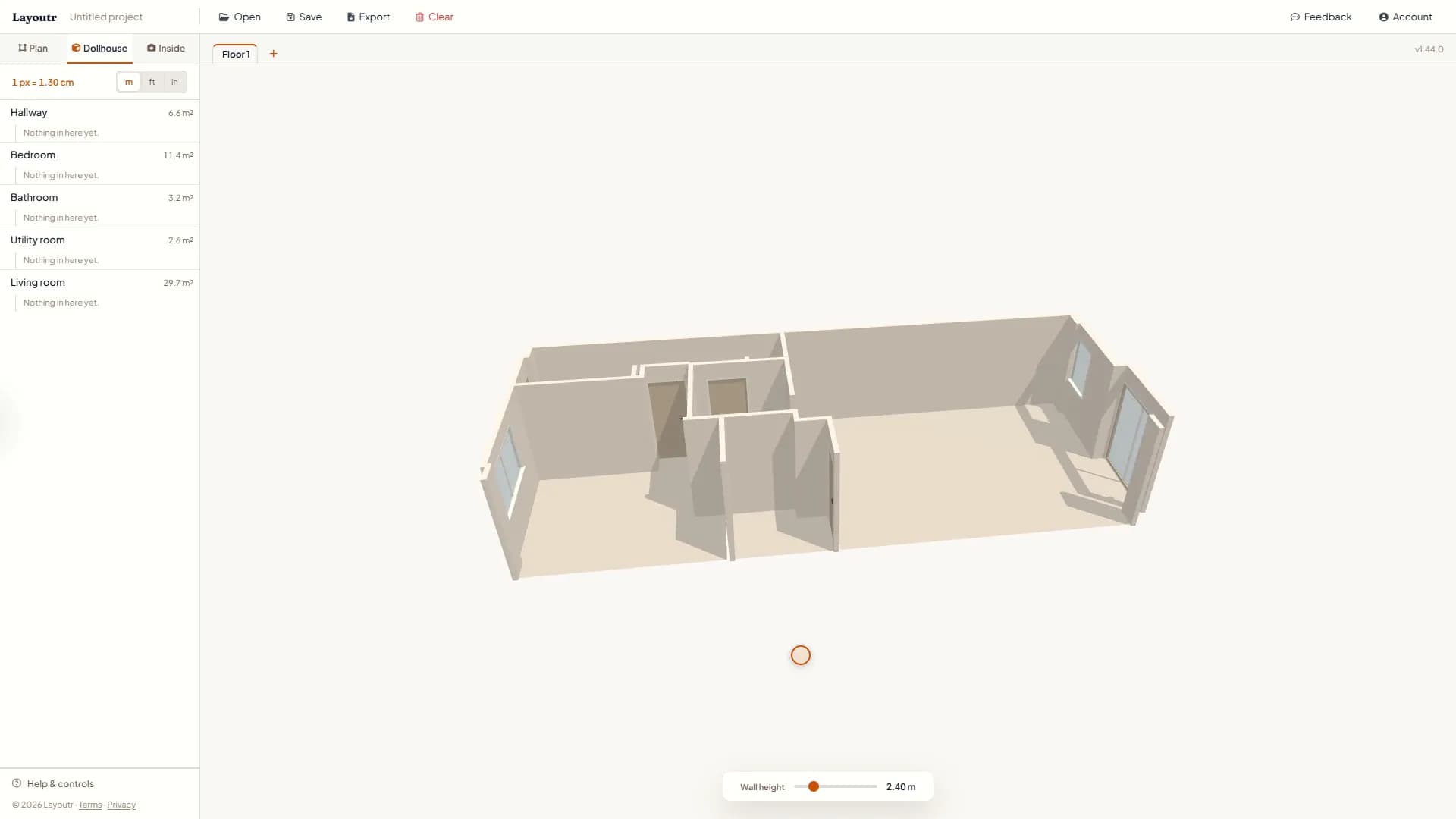
Example: the whole apartment in Dollhouse, straight from the rooms the AI found.
Tip
Finding rooms is part of Pro, at 1 credit a scan: €4.99 a month with 50 credits a month, or €19.99 once for lifetime access with 100 credits. To scan a floor that already has rooms, use Find rooms under Tools; the new rooms only replace yours when you press Replace rooms.