The right TV size mostly comes down to how far you sit from the screen. Hang a TV on your plan, measure the distance, and look at it from where you will watch. You need a plan with the room traced or drawn, so it can be seen in 3D. The TV size guide has the full chart.
- 1
Hang a TV on the wall
Click Add furniture and search for TV. Under "Wall decor" there are wall-mounted TVs of 43, 55, 65 and 75 in. Start with a smaller size and drag it to the wall you will watch it on; it sticks to the nearest wall. The free plan places up to three pieces per floor and a TV counts as one, so delete a piece first if the floor is full.
use.layoutr.app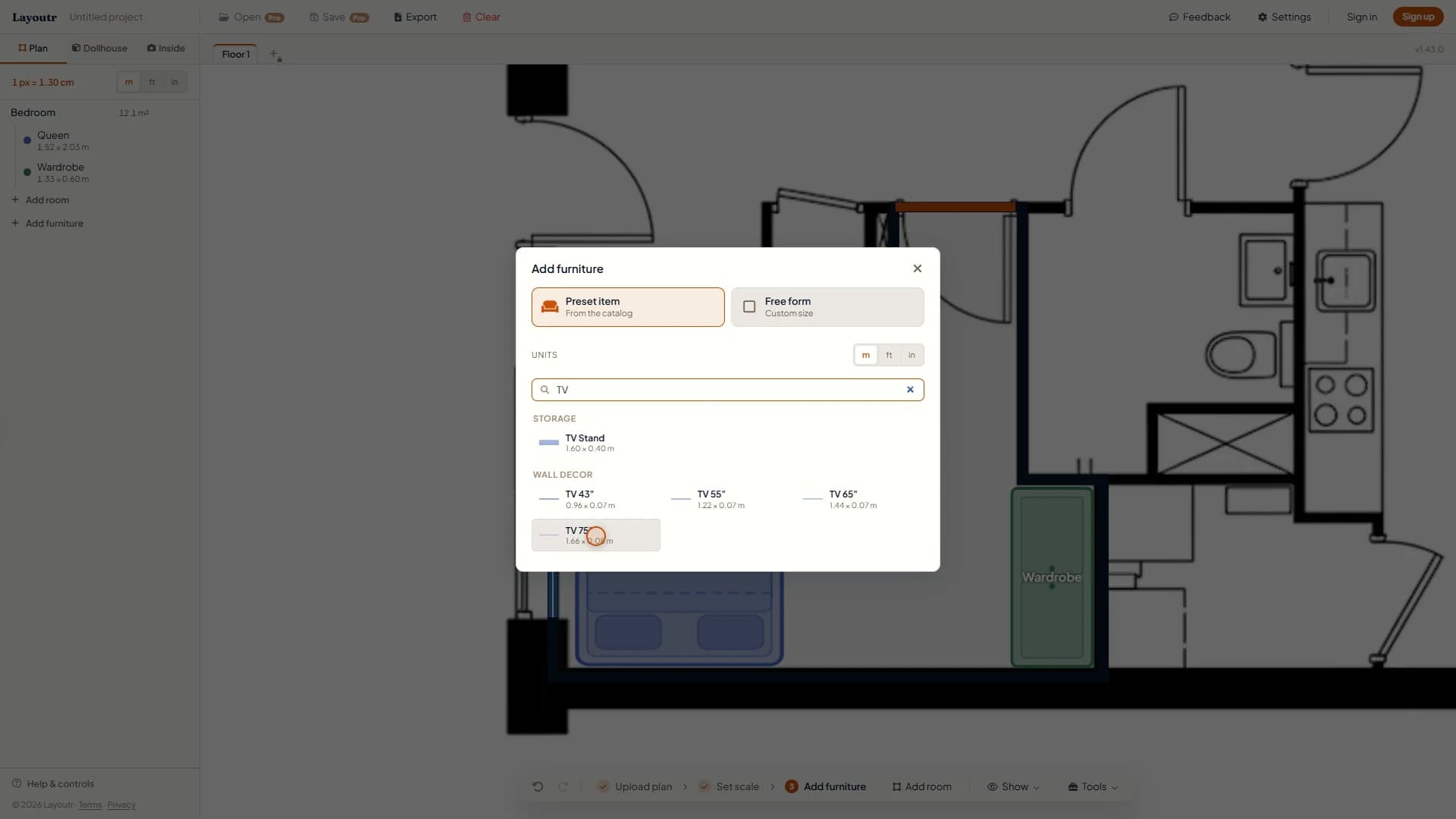
Wall-mounted TVs from 43 to 75 in, each at its real width. - 2
Set how high it hangs
Double-click the TV and set "Hangs at", measured from the floor to the middle of the screen. Put the middle at your eye level when you watch: about 100 to 110 cm (39 to 43 in) from a sofa, higher from a bed.
use.layoutr.app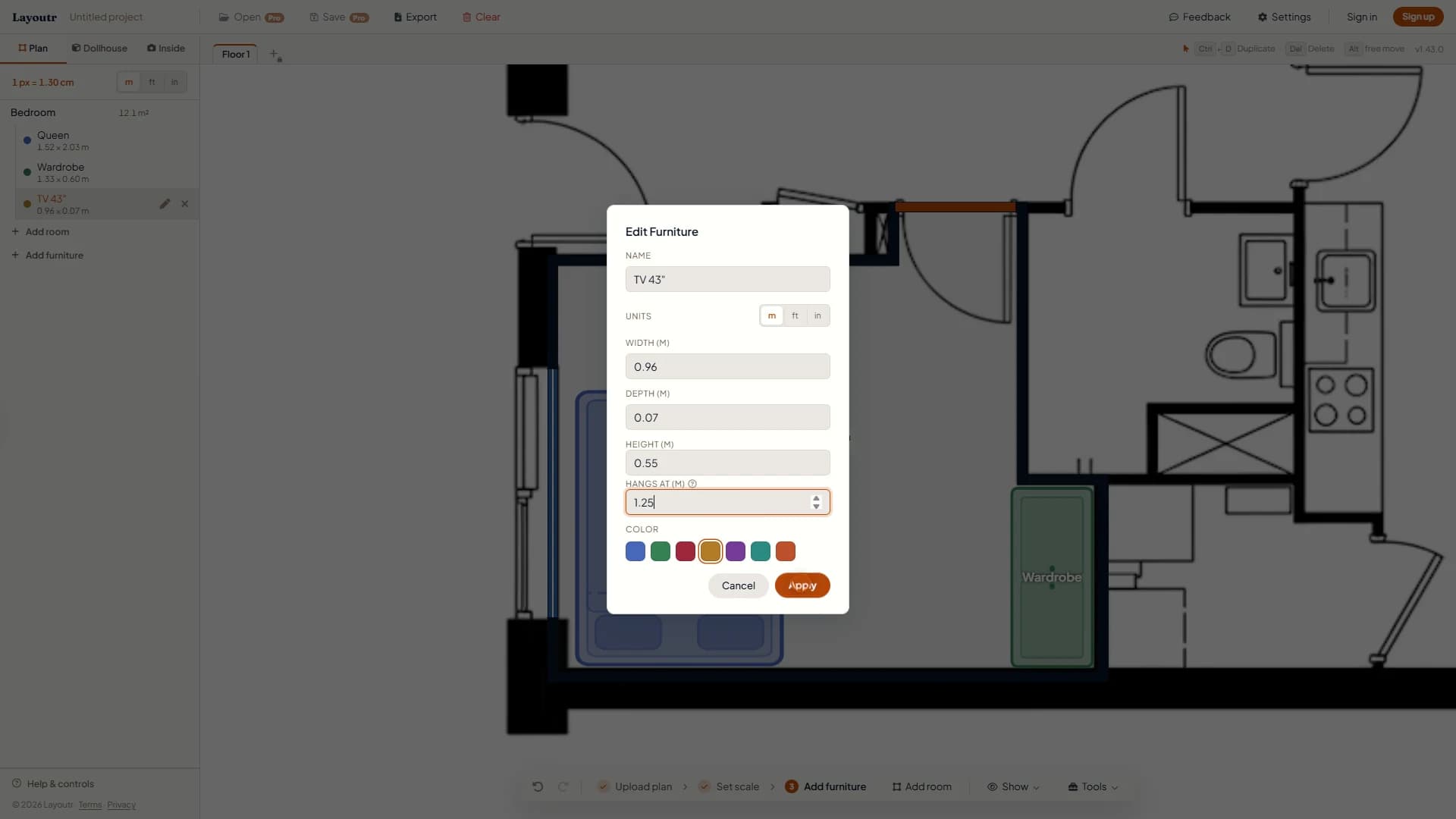
Example: a bedroom TV hung at 1.25 m (4 ft 1 in), for watching from bed. - 3
Measure the viewing distance
Open Tools, pick Measure distance, and click from where your head will be when you watch to the screen. A comfortable screen size is that distance in inches divided by 1.5 to 2.5. At 2.70 m (106 in), that is about 43 to 71 in.
use.layoutr.app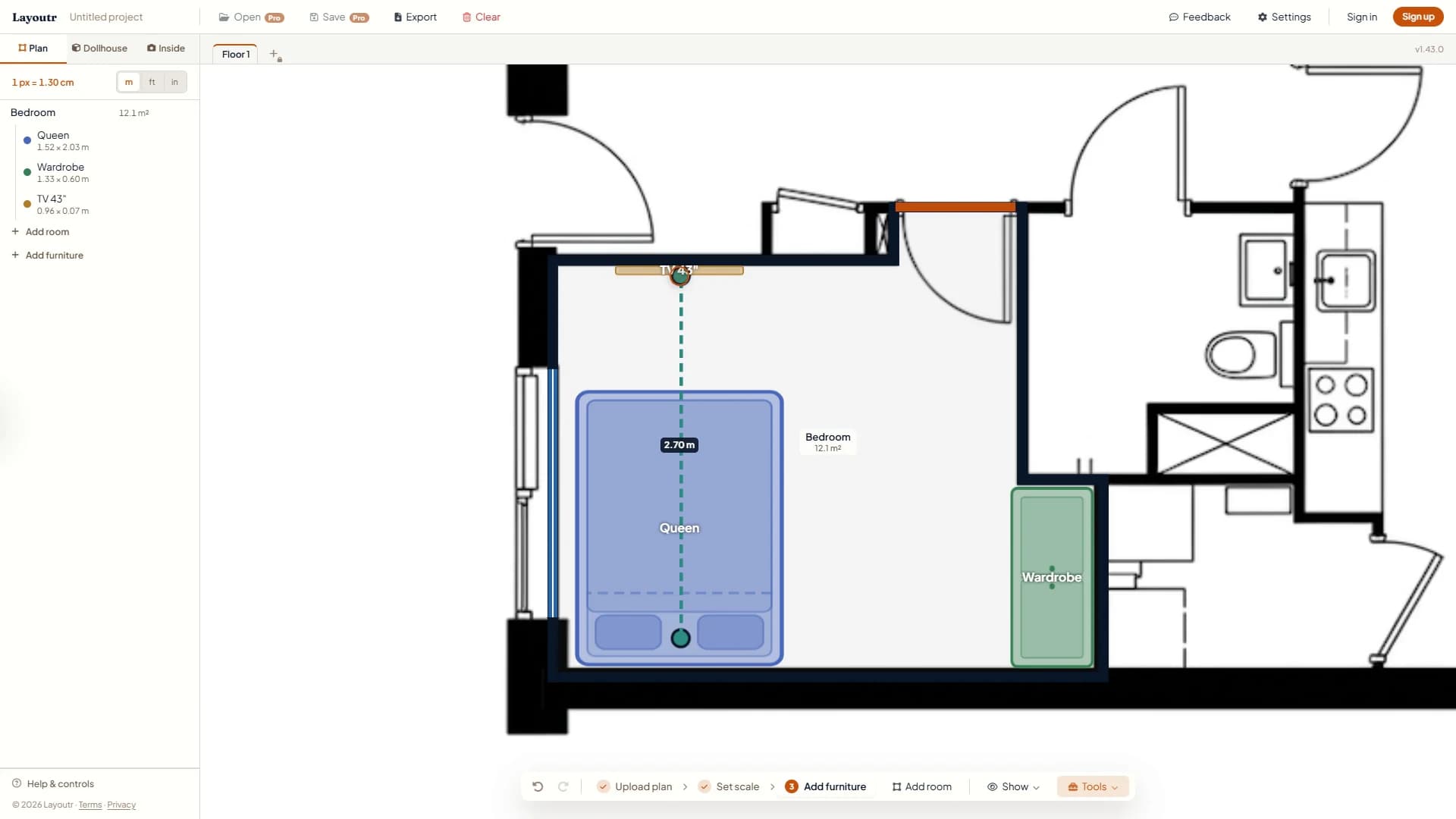
Measure from where your head will be, not from the edge of the seat. - 4
Look at it from your seat
Switch to Inside, walk to where you will sit and face the TV. Turn Your height down, because your eyes are lower when you sit; the lowest setting is 1.40 m (4 ft 7 in). Does the screen look too small or too big from there?
use.layoutr.app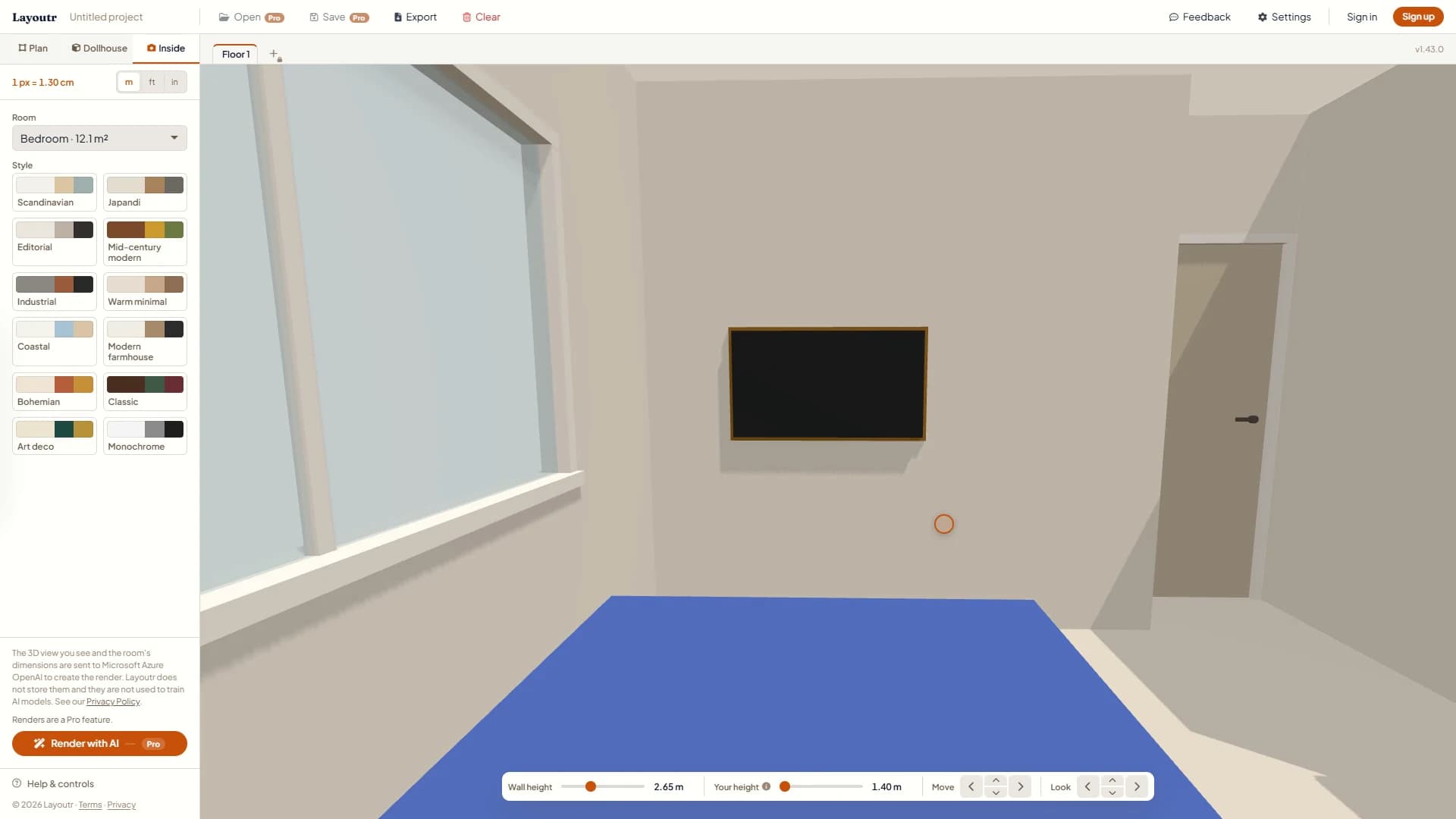
Example: a 43 in TV seen from the bed, with Your height turned down. - 5
Compare sizes
Back in Plan, delete the TV, add the next size up on the same wall and give it the same "Hangs at". Look again from the same spot, and keep the size that fills your view without crowding the wall.
use.layoutr.app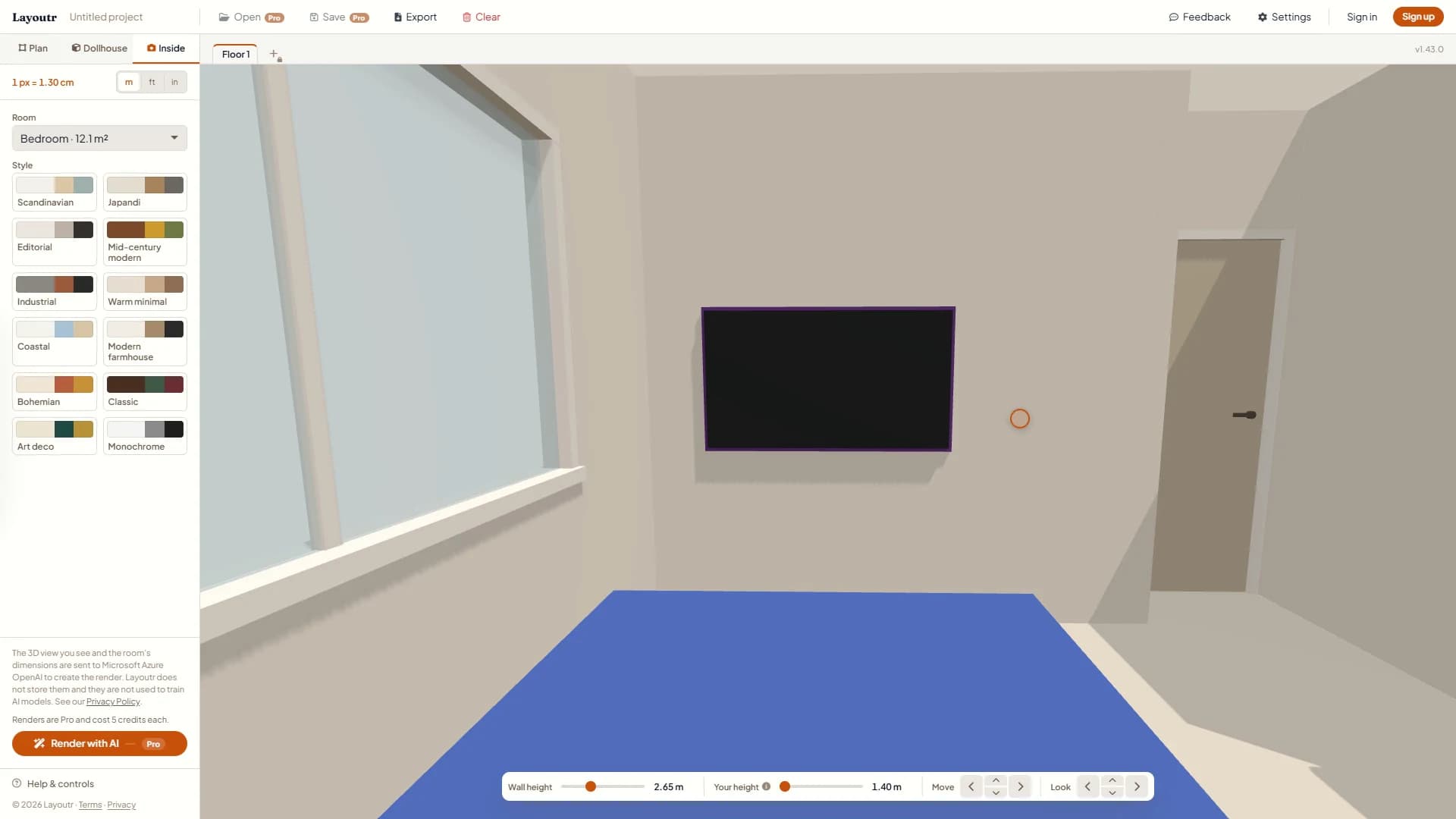
Example: a 55 in TV from the same spot.
Tip
Measure the distance, try a size or two from where you sit, and you will know which TV to buy. All of it works on the free plan, at use.layoutr.app.