Upload the floor plan you have, set its scale once, and every piece you place is shown at its real size. You need a floor plan image and the sizes of your furniture. No plan image? Draw the room from your measurements instead.
- 1
Upload your plan
Open use.layoutr.app and click Upload plan. No account is needed to start. A listing picture, a scan or a phone photo of a paper plan all work, as long as it is taken from straight above; at an angle, the scale will be off.
use.layoutr.app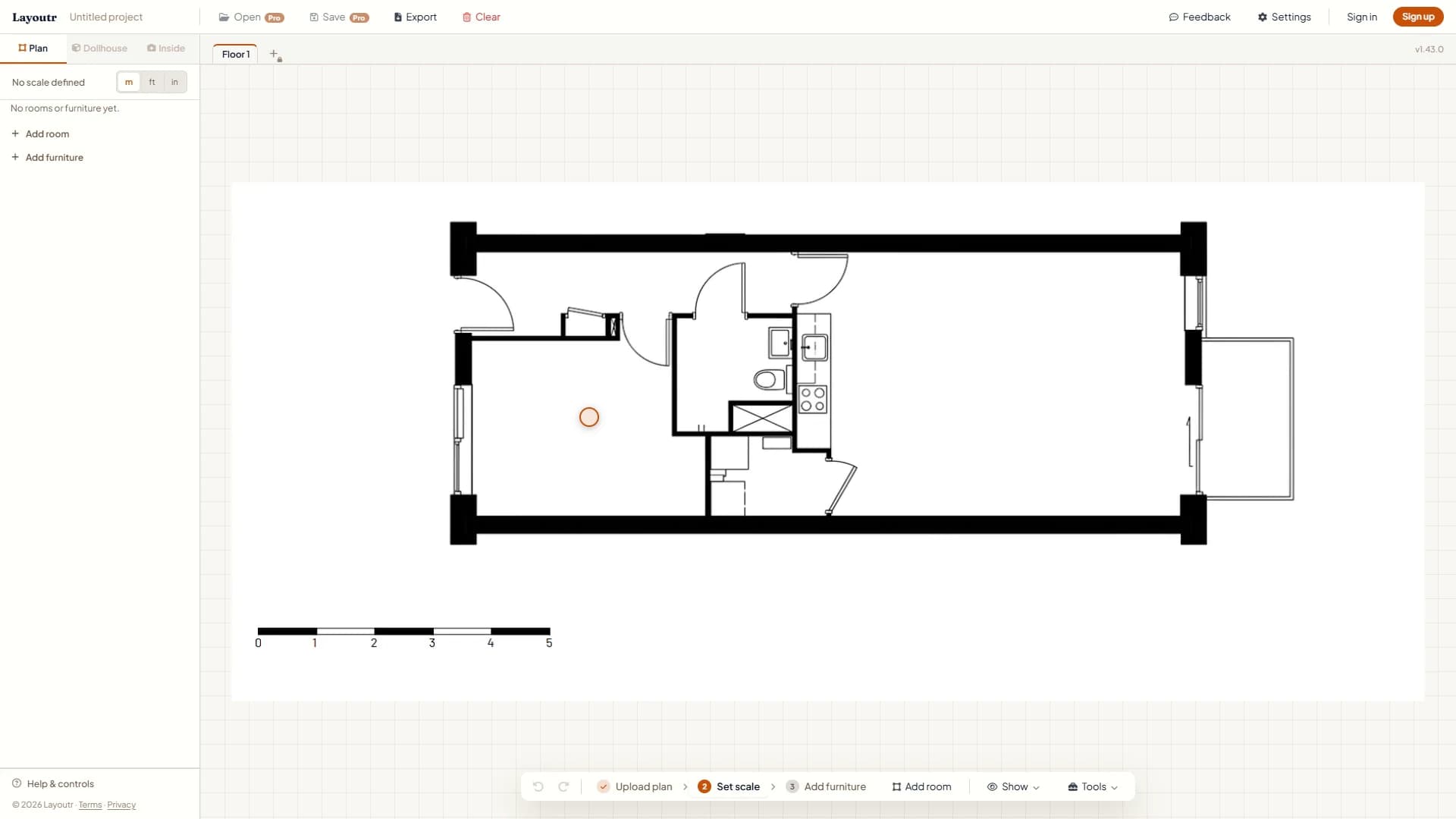
The plan on the canvas. Next up in the toolbar: Set scale. - 2
Set the scale
Click Set scale, then click both ends of a length you know, such as the scale bar or a full wall. Type its real length in the "Define Scale" box, in meters, feet or inches, and press Set Scale. From then on, every size on the plan matches real life.
use.layoutr.app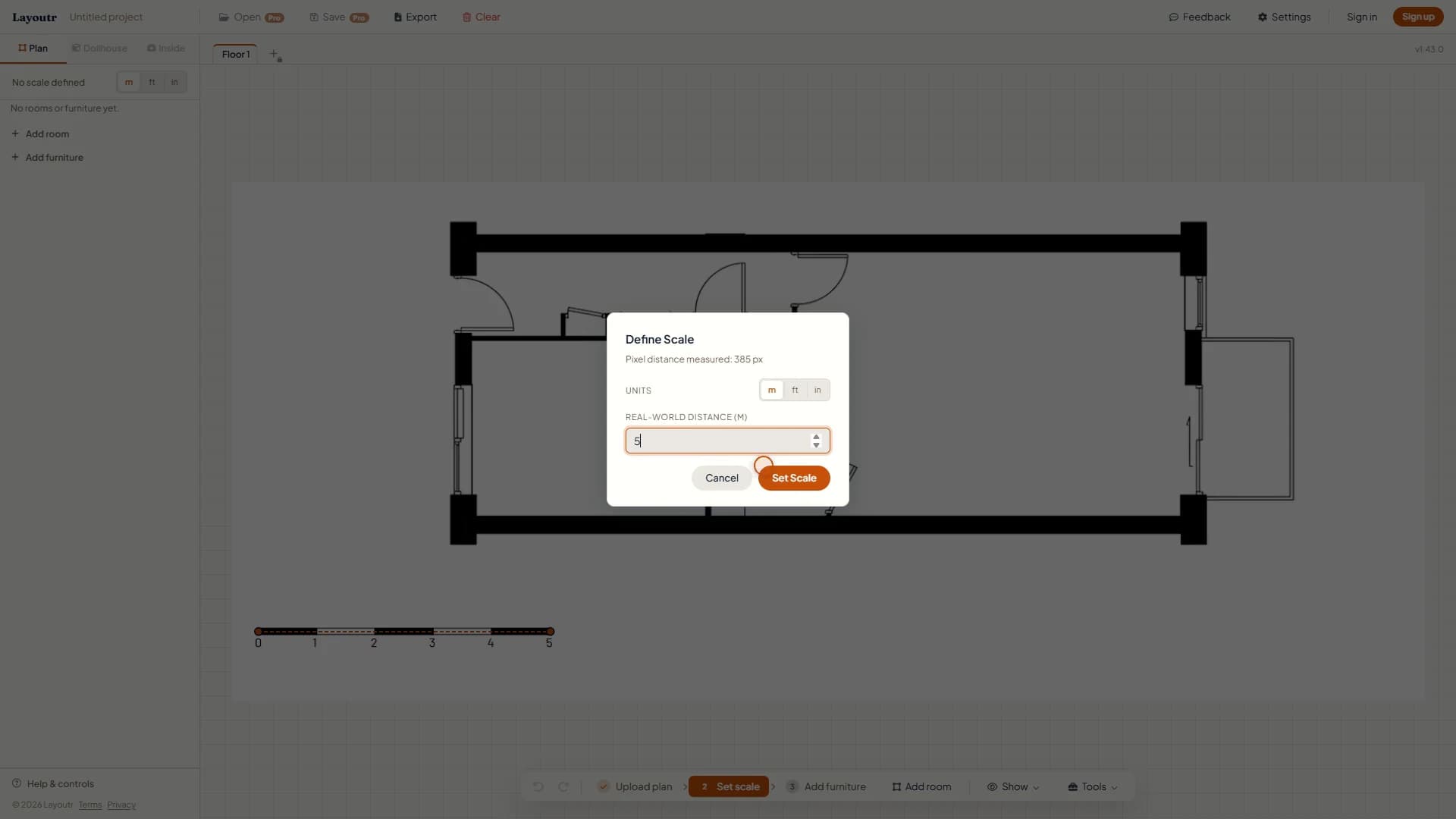
Example: both ends of a 5 m (16 ft 5 in) scale bar, with 5 typed as its real length. - 3
Add your furniture
Click Add furniture and search or browse the catalog. Every piece is listed at its real size, for example a Queen bed at 1.52 × 2.03 m (60 × 80 in), and clicking a row drops it on the plan. Not in the catalog? Under Free form, make a rectangle at the exact size of your piece. The free plan places up to three pieces per floor.
use.layoutr.app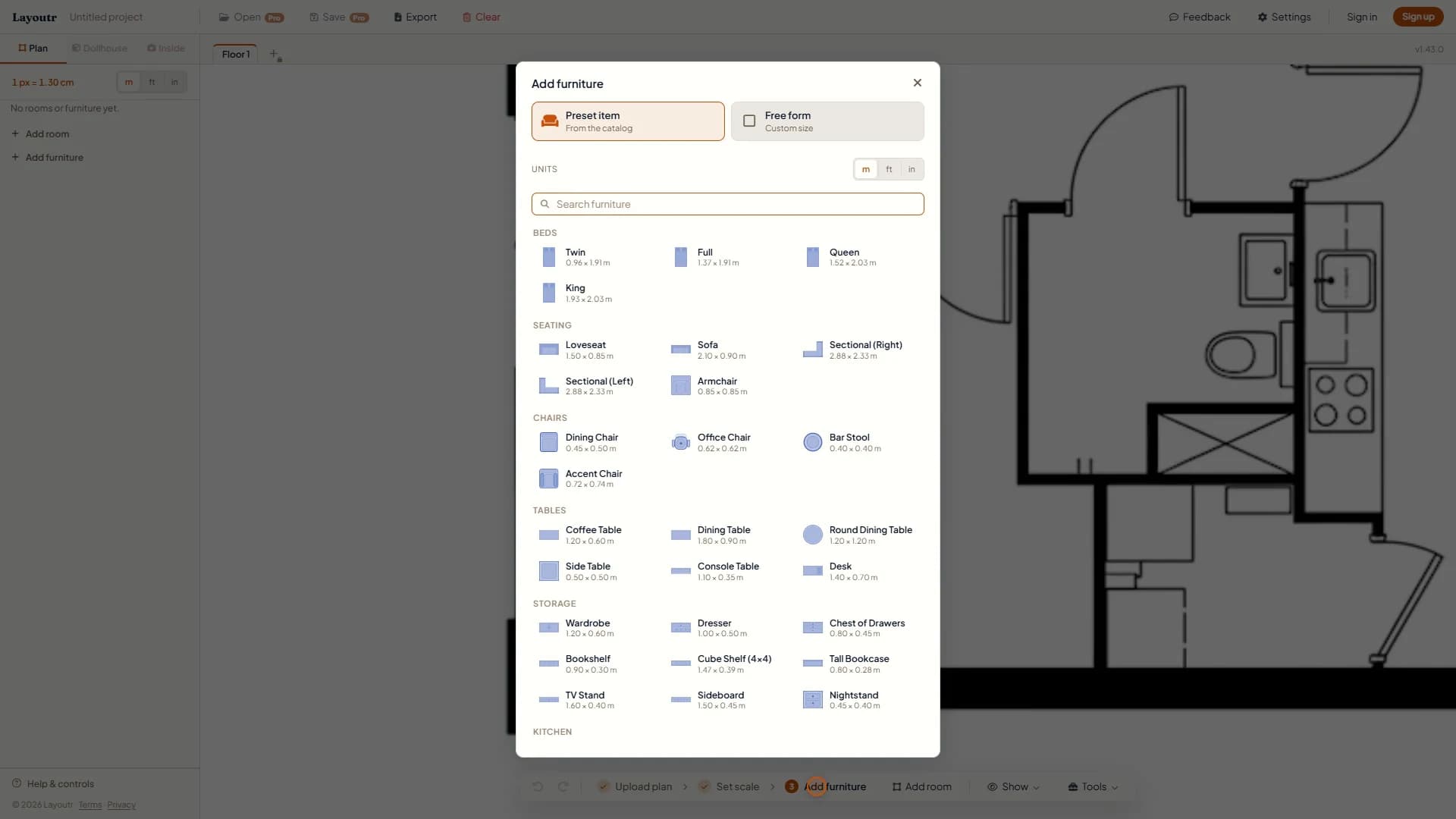
Every catalog piece is listed with its real width and depth. - 4
Move, turn and resize
Drag each piece to where it will really stand. It snaps flush to the nearest wall.
- To turn it, drag the handle on top. It turns in quarter steps; hold Alt for any angle.
- To resize it, drag a corner, or double-click it and type the exact width and depth.
- To remove it, select it and press Delete.
use.layoutr.app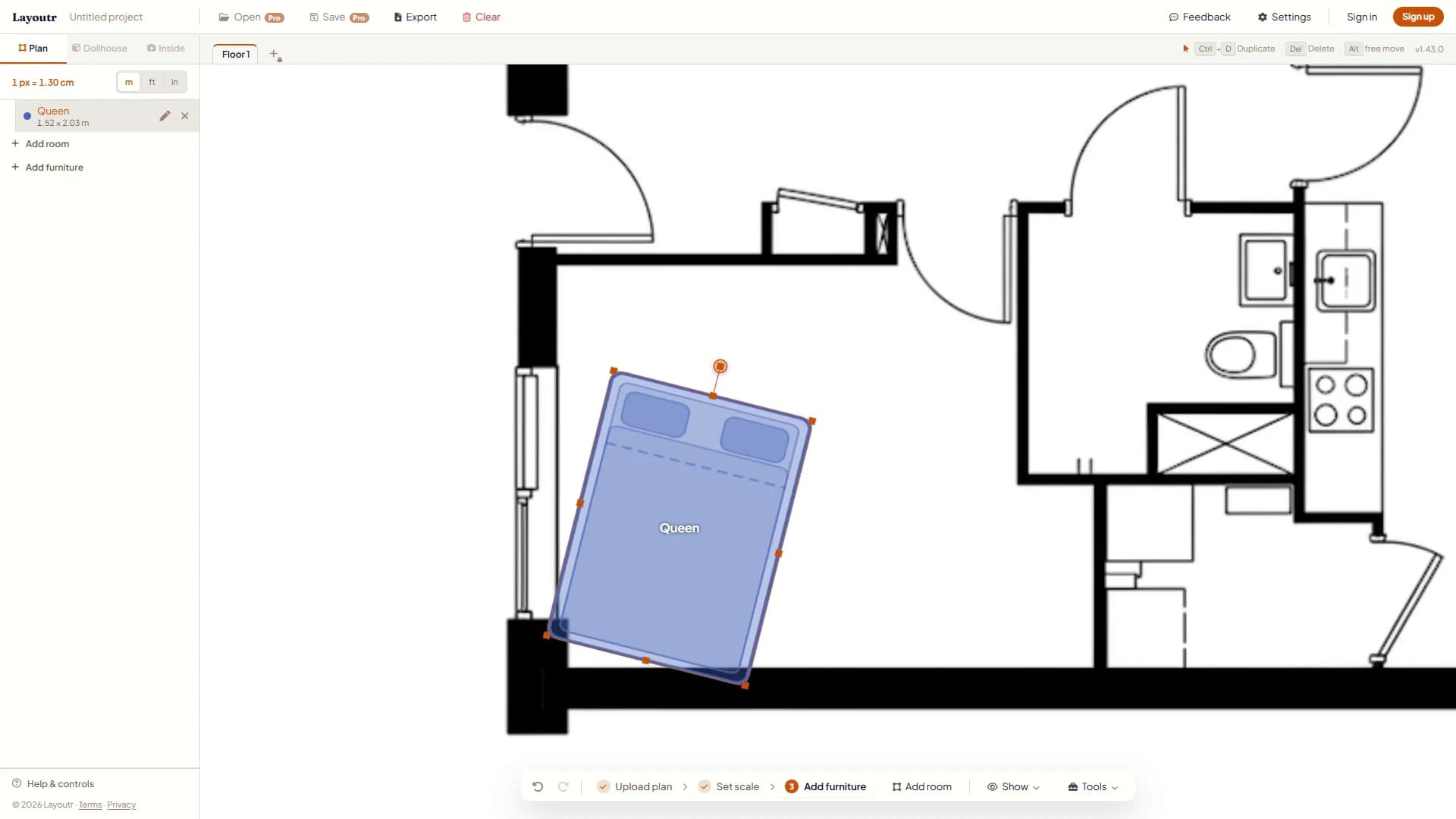
Drag the handle on top to turn a piece. - 5
Measure the space around it
Open Tools, pick Measure distance and click two points. Leave at least 600 mm (24 in) of clear floor where you walk, and check the spots you use every day: the swing of a door, the space to open a wardrobe, the room to pull out a chair.
use.layoutr.app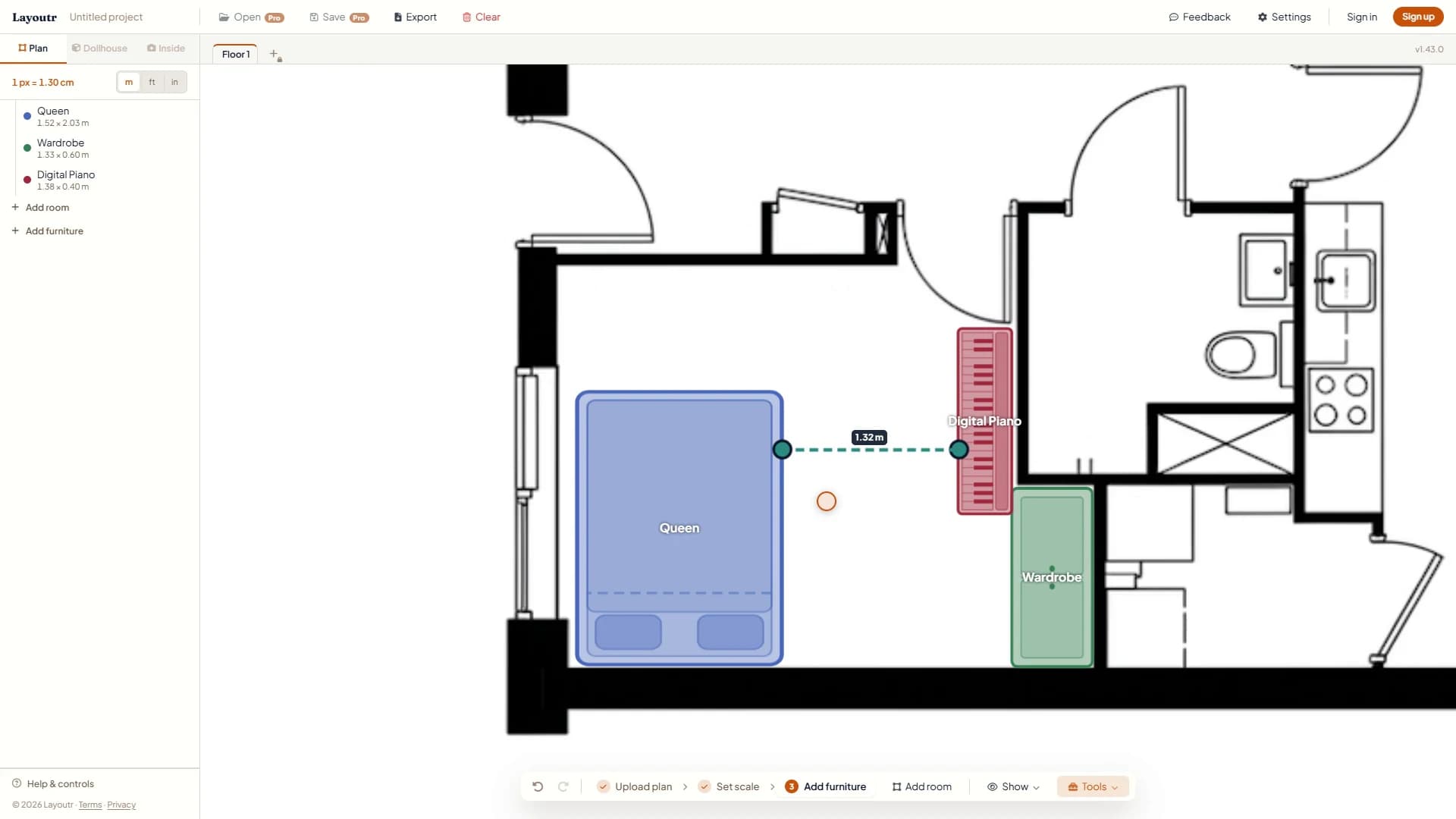
Example: 1.32 m (4 ft 4 in) from the bed to the piano keys, room enough for a bench.
Tip
Small scale errors add up. Off by 5% turns a 600 mm (24 in) walkway into 570 mm (22 in), the difference between a path that works and one that does not. Calibrate on the longest length you can.