Plan your room layout, perfectly scaled
Upload your own floor plan, set the scale, and arrange furniture at real dimensions. Know exactly what fits before you move or buy a thing.
- Use your own floor plan
- No account needed
- Privacy-first
- No installation required
“It was the only platform that let us use the floor plans we already had and set them to our own scale.”
“Layoutr worked perfectly, not complicated software I had to teach my wife how to use.”
“A tool I'll keep using for years as I move around.”
How it works
From floor plan to furnished in three steps
No drawing skills, no CAD, about a minute.
Upload your floor plan
A photo, a plan from your listing, or a scan. Any image your browser can open.
Set the scale
Click two points a known distance apart, type the measurement, and Layoutr does the math.
Place furniture at true size
Drag real-sized pieces in and rotate them until the room works.
Beyond the fit
Once it fits, see how it looks
Your plan becomes a 3D model you can look around, for free. On Pro, turn any view into a photorealistic render.
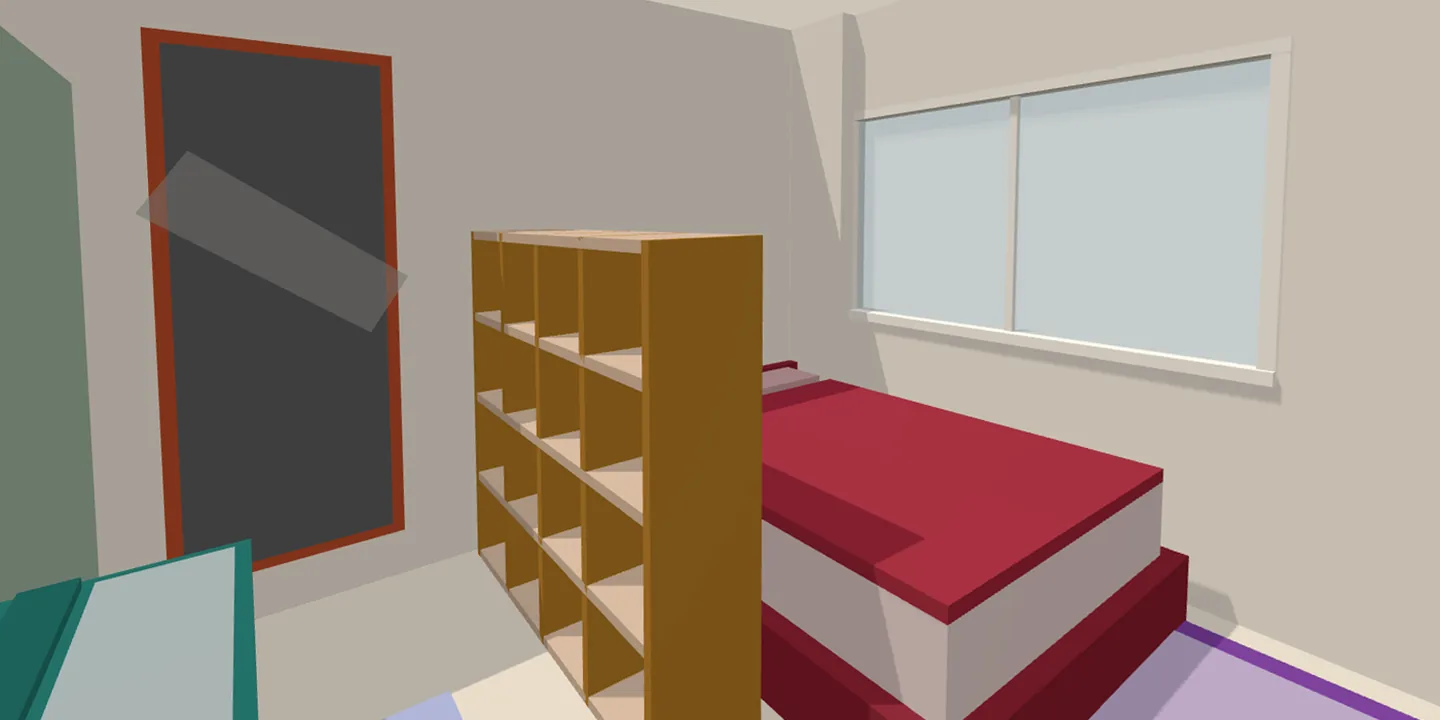
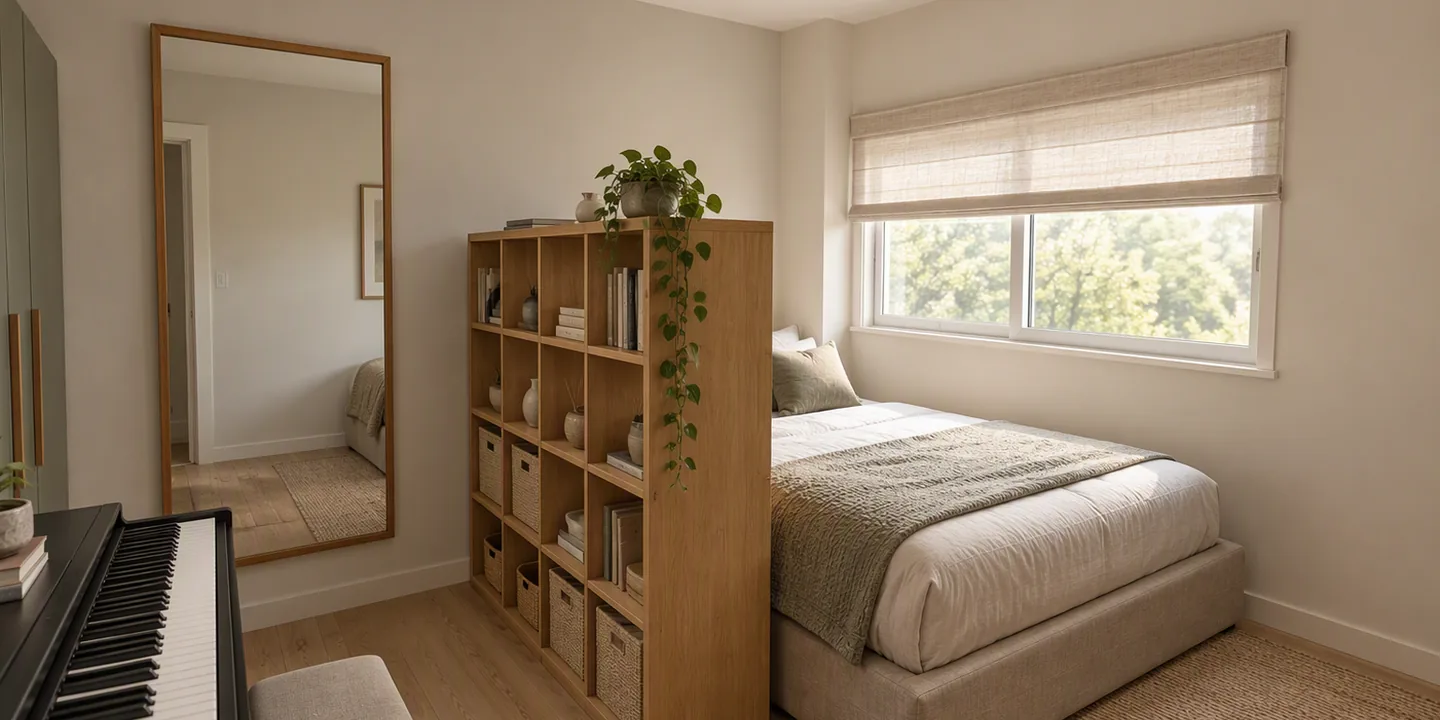 Your 3D modelAI render · JapandiReveal the AI render over the 3D model. Drag, or use the left and right arrow keys.
- DollhouseFree
- The whole floor in 3D, seen from above.
- InsideFree
- Walk through it at your own eye level.
- AI renderPro
- Any view, photorealistic, in one of twelve styles.
Features
Everything you need to figure out what fits
Upload any floor plan
JPEG, PNG, WebP, and more. Use a floor plan from your listing, a scan of a paper drawing, or any top-down image.
Upload any floor plan
JPEG, PNG, WebP, and more. Use a floor plan from your listing, a scan of a paper drawing, or any top-down image.
Two-point scale calibration
Click two points you know the real distance between, type the measurement, and you're done. Layoutr calculates the scale automatically.
Draw your own rooms
No floor plan? Draw your rooms from scratch with the measurements you already have. Layoutr sets the scale as you draw, so everything stays true to size.
True-size furniture placement
Every piece is sized in real dimensions. Drag, rotate, and resize on your scaled plan. Know exactly what works before moving day.
Growing furniture library
Pre-measured beds, sofas, dining sets, desks, kitchen appliances, and more. New pieces are added regularly, so the library keeps growing.
Distance measure tool
Measure any gap, doorway, or wall run directly on your plan, in meters, feet, or inches, so you know it fits before you commit.
View your plan in 3D
Trace the rooms over your plan and Layoutr lifts them into 3D, seen from above with the roof off. Set the wall height of your own home, and see how the rooms sit against each other rather than reading them off a drawing.
Walk through at eye level
Drop to your own eye level and walk the floor. The plan tells you a piece fits; standing in the doorway tells you how much room is actually left to get past it.
AI interior renders
Frame a view in 3D, pick one of twelve interior styles, and Layoutr renders your own room as a photorealistic image. Test a color scheme on your own walls, then shop knowing what to look for.
AI-vision room detection
Skip the manual setup. Upload your floor plan and let AI vision analyze it, detecting rooms and walls automatically and rebuilding them to scale on your plan.
AI-powered furnishing
Let AI furnish the room for you. Describe how you live in the space and AI suggests a complete, true-to-size furniture arrangement built around your room's real dimensions.
We are still actively developing this one, so we cannot promise it works well every time. A failed run never costs a credit.
Unlimited furniture pieces
Place as many pieces as a plan needs. No cap on how much furniture you add to a single layout.
Save & load projects
Export your layout as a .splan file and reload it on any device, anytime.
Multiple floors per project
Plan a whole home in one place. Add a separate tab for each floor or alternate layout, switch between them instantly, and keep everything in a single project.
Pricing
Free for everyone.
Pro when you need more.
The core tool is free forever. Paid plans add the AI tools, powered by credits you can top up anytime.
Free
€0forever
The full core tool. No account, no credit card required.
- Core
- Upload any floor plan image
- Two-point scale calibration
- Draw your own rooms from scratch
- Drag, rotate & resize furniture
- Growing built-in furniture library
- Distance measure tool
- View your plan in 3D
- Walk through at eye level
Pro
€4.99per month
AI interior renders, room detection and furnishing, unlimited furniture, and saved projects.
- Core
- Upload any floor plan image
- Two-point scale calibration
- Draw your own rooms from scratch
- Drag, rotate & resize furniture
- Growing built-in furniture library
- Distance measure tool
- View your plan in 3D
- Walk through at eye level
- Pro
- AI interior renders
- AI-vision room detection
- AI-powered furnishingBeta
- Unlimited furniture pieces
- Save & load projects (.splan)
- Multiple floors per project
- AI credits
- Credits included: 50 / month
- Top up anytime: €4.99 / 50
Lifetime
€19.99one-time
Pay once for every Pro feature, no recurring charge, plus a starter bundle of AI credits.
- Core
- Upload any floor plan image
- Two-point scale calibration
- Draw your own rooms from scratch
- Drag, rotate & resize furniture
- Growing built-in furniture library
- Distance measure tool
- View your plan in 3D
- Walk through at eye level
- Pro
- AI interior renders
- AI-vision room detection
- AI-powered furnishingBeta
- Unlimited furniture pieces
- Save & load projects (.splan)
- Multiple floors per project
- AI credits
- Credits included: 100 one-time
- Top up anytime: €4.99 / 50
One credit powers a room detection or a furnishing suggestion. An interior render costs 5. Pro includes 50 credits a month, and Lifetime comes with a bundle of 100. Top-up credits never expire, and every plan keeps the core tool free.
Layoutr accepts any image your browser can display: JPEG, PNG, WebP, and more. Photos, scans, and screenshots of floor plans all work.
Most people use the plan from their rental or sale listing, a photo of a printed floor plan, or a quick phone snapshot of a blueprint. Any top-down image works once you set the scale. No plan at all? You can draw your own rooms from scratch and Layoutr sets the scale automatically as you go. And if you do have a plan, AI-vision room detection can read it and rebuild the rooms to scale for you (Pro).
No. The full core tool is available without signing up. Open the app and start planning right away.
Click two points on your floor plan that represent a known distance, then enter the real-world measurement. Layoutr calculates the pixel-to-meter ratio automatically, with live translation to feet and inches if you prefer.
Layoutr is built for regular people checking what fits in their own home, not for professional designers. There is no CAD learning curve and no account needed to start. You upload your own floor plan, set the scale by clicking two points, and drag real-sized furniture. Professional design suites are more powerful but far steeper to learn.
Yes. Every furniture piece uses real-world dimensions. Drag, rotate, and resize pieces on the scaled floor plan to see exactly what fits.
Yes. Upload a floor plan from the property listing or a scan of a printed floor plan. Set the scale using two points with a known distance and you can test any furniture arrangement before moving day.
Yes, and both 3D views are part of the free core tool. The 3D model is built from the rooms you trace over your floor plan, or that AI room detection draws for you on Pro. Layoutr has three modes. Planning mode is the top-down view you build the plan in. Dollhouse mode lifts that plan into 3D with the roof off, so you can set your real wall height and hang wall decor such as TVs, paintings and mirrors. Inside mode drops you to your own eye level and lets you walk through. The top-down view tells you whether a piece fits; standing in the room tells you how the spacing actually feels, which is the part that is hard to judge from a drawing.
Dollhouse mode looks at your floor from above in 3D with the roof removed, so you see whole rooms at once and how they relate to each other. It is also where you set your wall height and hang wall decor. Inside mode puts you at eye level inside the same model, so you judge headroom, sight lines and how much space is really left to walk through. Dollhouse answers what it will look like; Inside answers how it will feel. Both are free, and both use the plan you already built.
Yes. You can set the scale and read measurements in meters, feet, or inches, so you can plan in whichever unit you are comfortable with.
Not for planning. Layoutr is built for desktop and laptop screens, where you have the room to place and arrange furniture accurately. Open it on a phone and you get a short form instead of the planner: leave your email there and we will send you a reminder with a link, so you can pick it up when you are back at a computer.
Yes. Layoutr Pro includes three optional AI tools. AI-vision room detection analyzes an uploaded floor plan, detects the rooms and walls, and rebuilds them to scale so you don't have to trace anything. AI-powered furnishing suggests a complete, true-to-size furniture arrangement based on how you describe using the room. AI interior renders turn a view you frame in Inside mode into a photorealistic image in one of twelve interior styles, from Scandinavian and Japandi to industrial and art deco, so you can see which style and colors suit your own room before you shop. All three are optional, you can adjust everything by hand, and the free core tool works entirely without AI.
Yes. The core tool is completely free with no account required, including drawing your own rooms from scratch and both 3D modes: Dollhouse and Inside. Pro is €4.99 per month. It adds AI interior renders, AI-vision room detection, AI-powered furnishing (still in beta), unlimited furniture items, saving and loading projects, multiple floors per project, and priority support, with 50 AI credits each month. Lifetime is a one-time €19.99 payment with every Pro feature and 100 AI credits to start. A room detection or a furnishing suggestion costs one credit and an interior render costs 5, so Pro's monthly allowance is ten renders. Every paid plan can top up credits anytime for €4.99 per 50.
Your floor plans, furniture, and projects stay in your browser on your own device. They are never stored on our servers. The optional Pro AI tools are the one exception: using them sends the floor plan image, or the 3D view you framed, to Microsoft Azure OpenAI to generate your result. We do not store it, and under Microsoft's terms it is not used to train AI models. Microsoft may keep it for up to 30 days solely to detect abuse, and renders may be processed outside the EU. Layoutr collects minimal data and does no ad tracking.
So, will it fit?
Upload your floor plan and know for sure in about a minute.